
What does an online proctoring flag mean?
A proctoring event records or identifies activity under the controls configured for an assessment. A tab change, an ID photo and a webcam snapshot answer different questions. None should be interpreted beyond the evidence the system actually provides.
Start by checking the assessment configuration. Your team needs to know which controls were enabled, which actions were permitted and what candidates were told. An event count without that context is an incomplete basis for a review.
Agree on review rules before the assessment starts
Write down who can review evidence, who can authorize a retry and who handles disputed cases. Use a consistent record for similar events so that reviewers can explain their reasoning later.
Candidate instructions should describe the expected device setup and test conditions. Ask the provider to explain what is recorded and how access, retention and deletion work. Confirm these details for your actual setup rather than assuming every assessment uses the same controls.
- Describe permitted materials and whether leaving the test window is allowed.
- Explain how candidates should report interruptions or technical problems.
- Identify the person responsible for reviewing flagged attempts.
- Keep the original evidence and the reviewer’s interpretation distinguishable.
A five-step proctoring review checklist
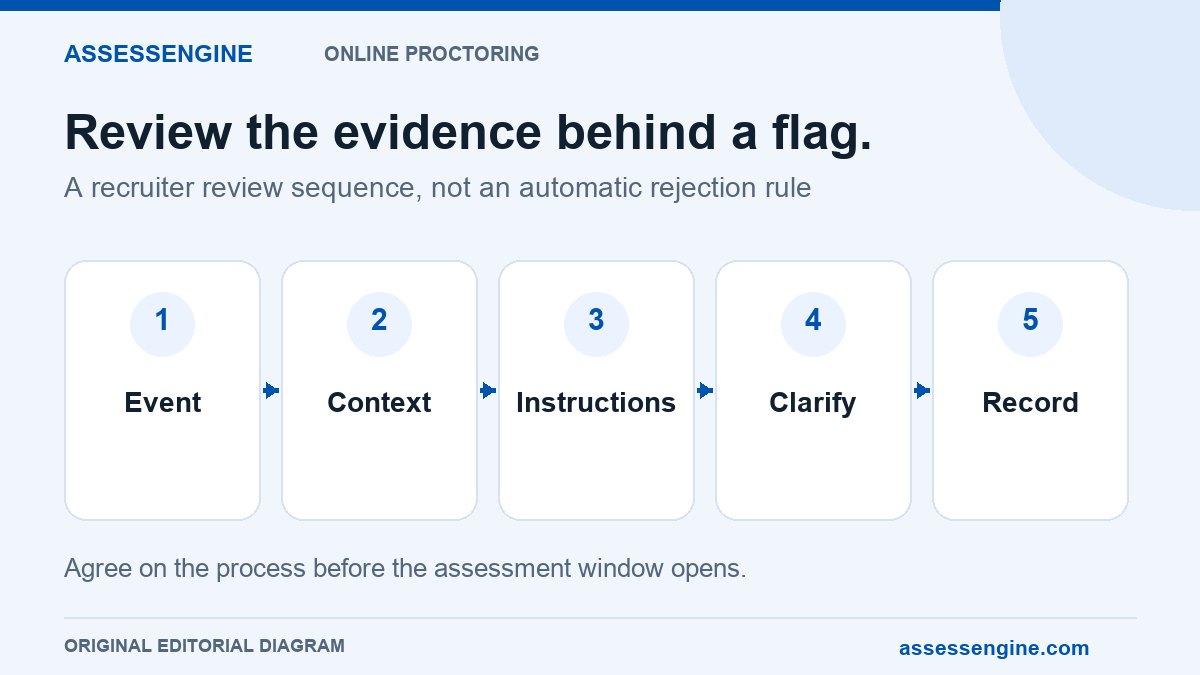
Use a repeatable sequence so a striking screenshot or large event count does not become the whole assessment. The checklist below is a suggested operational process, not an automatic rule for rejecting candidates.
- Identify the event: establish what the system recorded and what it did not establish.
- Check timing and context: compare the activity with the test window and available logs.
- Check the instructions: confirm which relevant rule was communicated before the test.
- Seek clarification when needed: record the candidate’s explanation and any supporting information.
- Record the outcome: note the evidence, reasoning, reviewer and next step under your organization’s policy.
Illustrative example: reviewing a tab-change event
Suppose an assessment allows no external resources and the activity report records a tab change. The event establishes that a browser interaction was recorded under that configuration. It does not, by itself, identify the content viewed or establish the candidate’s intention.
A reviewer should check available timestamps, related activity and any explanation before deciding what the evidence supports. Do not infer that the candidate used an answer website if the available evidence cannot establish that. This is a fictional review scenario, not a customer incident.
Illustrative example: a webcam interruption
An image without a visible face may need review, but the reviewer should establish what the image actually shows and whether surrounding evidence is available. A single observation should not be turned into a claim about identity or intent that the record cannot support.
Where the record is inconclusive, escalate through the agreed process. A supervised clarification or a permitted reassessment may be options to discuss under your policy. Neither is a blanket requirement or a guarantee of suitability for the role.
Reviewing assessment activity in AssessEngine
AssessEngine describes an activity workflow with candidate photo or ID checks, webcam images and tab-change records. Reports use Clear, Review and Violations labels. The hiring team reviews the evidence and decides what happens next.
Ask for a demonstration of the exact setup you intend to buy: which events are captured, how the report presents them and how a recruiter inspects an attempt. Review the sample report before agreeing on your candidate instructions.
Keep a usable review note
A short review note is more useful than a label with no explanation. Record the assessment identifier, event, available evidence, clarification, reviewer, date and resulting next step. Restrict access according to your organization’s process.
Review recurring issues after the drive. If many candidates ask the same question about browser or camera requirements, improve the instructions or setup before the next cohort. Treat that as a process improvement opportunity, rather than assuming that a higher flag count means a worse candidate pool.
Common questions
Does a proctoring flag prove that a candidate cheated?
No. A flag identifies activity for review. Inspect the underlying evidence and context before reaching a conclusion.
Does AssessEngine automatically reject a flagged candidate?
AssessEngine’s published workflow says the report presents activity and labels it Clear, Review or Violations. The hiring team makes the decision.
Should a tab-change event change the candidate’s score?
Keep the knowledge or skill score distinguishable from the integrity review. Any next step should follow the instructions and review process agreed for the assessment.
What should recruiters confirm before using web proctoring?
Confirm enabled controls, candidate instructions, evidence available to reviewers, the exception process and data-handling arrangements. Ask for a demonstration using the intended configuration.
Sources and further reading
Explore AssessEngine
Have a correction or a question? Contact the AssessEngine team and include this article's title.