
1. Define what the assessment needs to establish
Bring recruitment and the hiring manager together before choosing questions. List what a graduate must know on day one, what can be learned after joining, and what should be evaluated during an interview. This keeps the screening test tied to the job.
For example, a graduate sales role may need numerical reasoning and written communication. An engineering role may need relevant technical knowledge. These are planning examples, not a recommended universal test for every graduate.
- Write down the role, level, eligibility requirements and hiring timeline.
- Map each proposed test section to a job requirement.
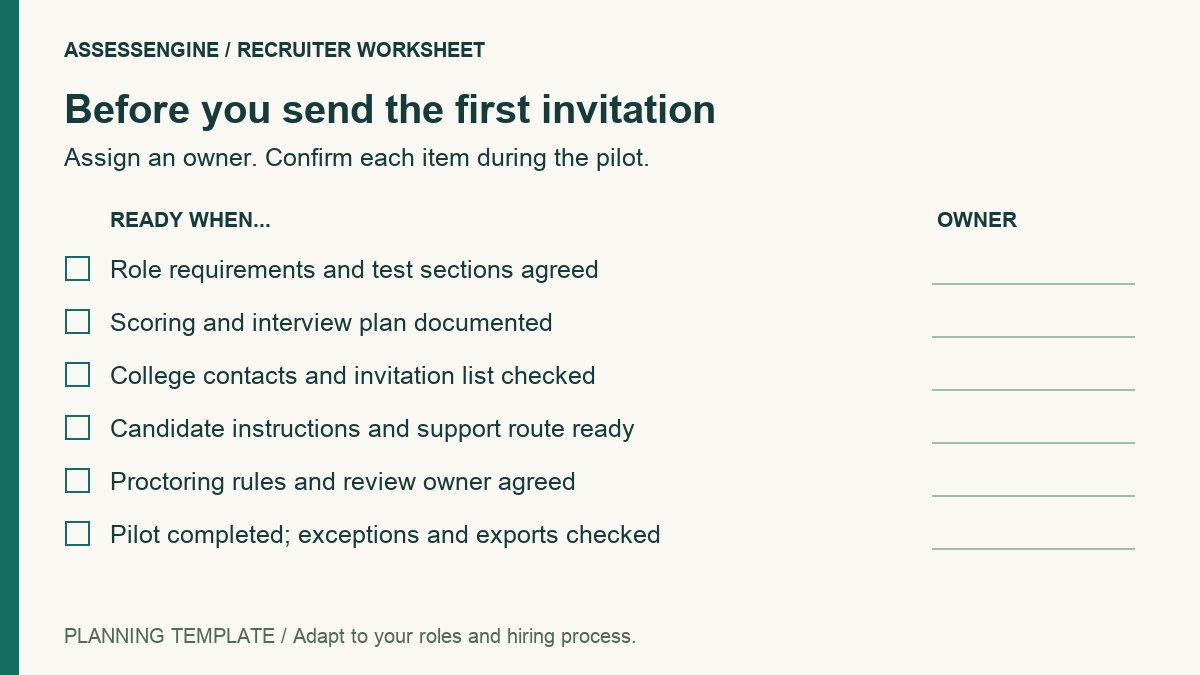
- Agree on who reviews the questions, scores and shortlist exceptions.
2. Design a focused test and scoring plan
Choose sections that add useful evidence rather than including every available assessment type. Review the wording, difficulty and time demand with someone who understands the role. Tell candidates what the assessment covers and how long to allow.
Set scoring and review rules before results arrive. If a section has a qualifying threshold, document why it is appropriate for the role. Use assessment scores as part of a hiring process, not as a complete explanation of a person's suitability.
- Check instructions, answer keys, marks and any negative marking.
- Review the assessment on the intended devices and connection conditions.
- Decide how written responses and exceptional attempts will be reviewed.
3. Coordinate colleges, invitations and support
Assign a contact for each college or candidate group. Confirm the test date, time zone, access method and escalation path. A short, consistent candidate message is easier to support than different instructions across multiple channels.
Build time into the plan for missing invitations, device checks and candidate questions. Decide in advance how rescheduling requests will be handled so recruitment coordinators are not improvising during the assessment window.
- Confirm the candidate list and a method for correcting registration errors.
- Send the test window, expected duration and device requirements together.
- Share a support contact and explain when candidates should contact them.
- Ask candidates who need an accommodation to contact the recruitment team before the test.
4. Explain proctoring and the review process
If proctoring is enabled, explain the checks and recording requirements before the test. Ask the provider about data access, retention and deletion, and make sure candidate instructions reflect the setup actually being used.
Define who reviews flagged activity and how candidates can explain an interruption. A tab change or webcam event needs context. Keep an integrity review distinct from the candidate's assessment score and document the resulting decision.
5. Pilot the complete workflow before launch
Run a small internal pilot from invitation to final report. Ask a colleague to follow only the instructions a candidate would receive. Review unclear questions, time pressure, technical issues and report usability before increasing the volume.
A pilot is also the right time to verify ownership: who monitors progress, who helps candidates, who reviews exceptions and who sends the next-stage communication.
- Open the invitation and complete the registration and device checks.
- Take the test using representative devices.
- Review the completed report and export with the hiring manager.
- Agree on what to do if the test window is interrupted.
6. Review results and improve the next drive
Review section-level results, completion patterns and integrity evidence before sending interview invitations. Use assessment findings to identify areas to explore during a structured interview. Record the reasons for exceptions so later reviewers can understand the shortlist.
After the drive, review attendance, completion, support issues and progress to interviews and offers. Compare results by role and cohort before making broad claims about the assessment's impact. A faster process is useful only if it still produces evidence your hiring team can trust.
Where AssessEngine fits into the plan
AssessEngine supports browser-based campus assessments with configurable sections, candidate invitations and recruiter reports. Employers can use library questions or upload their own, then review section scores and activity evidence where proctoring is enabled.
Use a demo to check the exact formats, candidate access, support arrangements and quote for your drive. Review the sample report with the hiring manager before selecting the final assessment setup.
Common questions
What should a campus hiring assessment include?
Include only sections tied to the graduate role. Depending on the job, these may cover aptitude, technical knowledge, written communication or workplace situations. Review the questions and scoring with the hiring manager before launch.
How long should a campus assessment take?
There is no single duration suitable for every role. Choose enough time to gather the evidence you need, pilot the test and remove sections that do not add useful information. Tell candidates the expected duration before they begin.
Should a proctoring flag automatically reject a candidate?
A flag should prompt review of the underlying evidence and context. Decide in advance who reviews exceptions and how candidates can explain interruptions. Your hiring team remains responsible for the decision.
What should we confirm with the assessment provider?
Confirm test configuration, expected attempt volume, candidate access, proctoring, reporting, support, data handling and the complete quoted scope before invitations are sent.
Sources and further reading
Explore AssessEngine
Have a correction or a question? Contact the AssessEngine team and include this article's title.